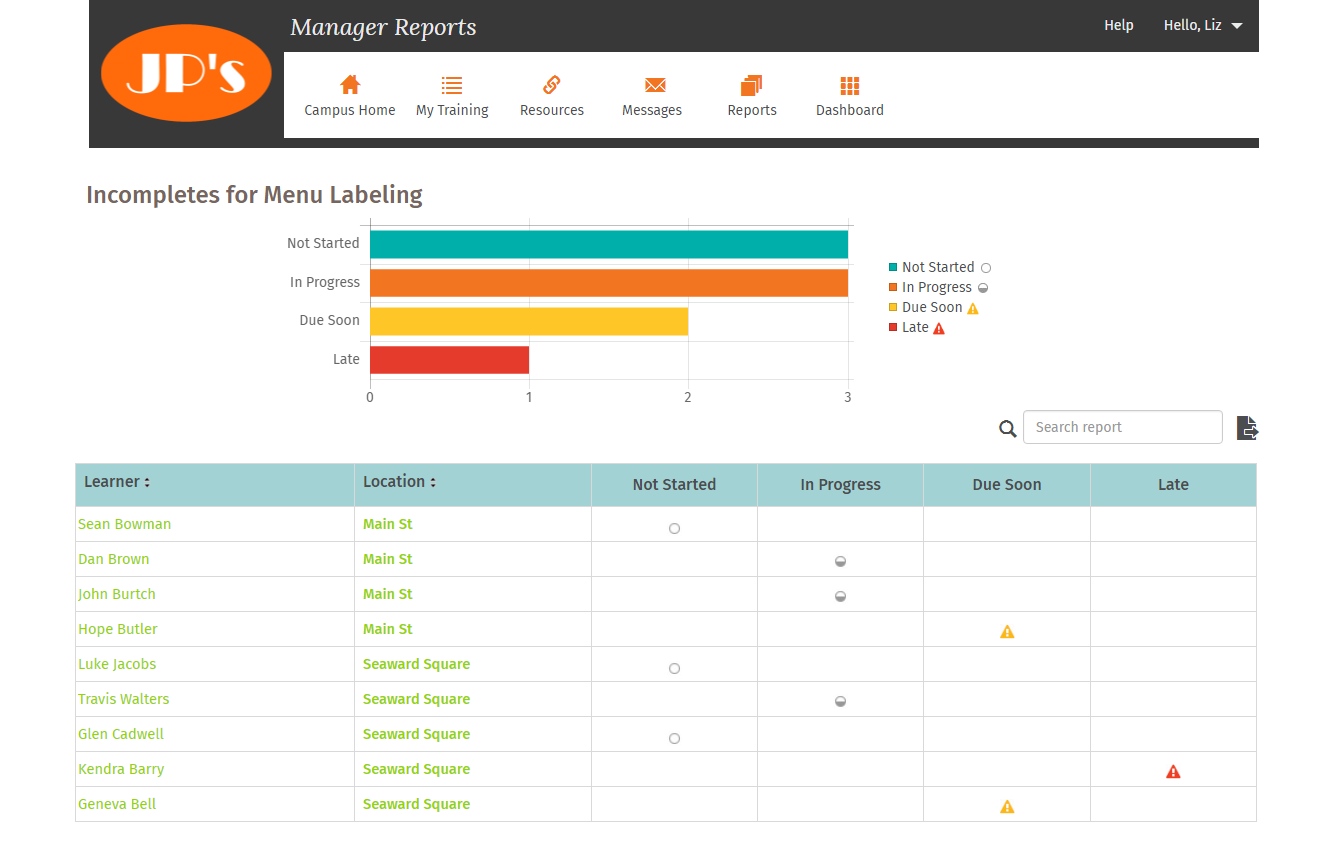
This report is a status by store, for all stores in your campus, of content item incompletes, including not late, late soon, and late now.
Report output includes:
-
Employee name
-
Store name
-
Number of not started, in progress, due soon, and late
Selection criteria:
Content item name
Content Status: Available or In Review
Important Note on Content Status Filtering
When Content Status of 'Available' is chosen, the report only filters out content items that are themselves marked as inactive.
This means that content items associated with an inactive Learning Program will still appear in the report as long as the content item itself remains active.
This behavior is important to keep in mind when analyzing report data that involves inactive Learning Programs.
Counting Rules:
-
Not started that is late (has a red triangle) is counted as late only
-
In progress that is late (has a red triangle) is counted as late only
-
Not started that is due soon (has a yellow triangle) is counted as due soon only
-
In progress that is due soon (has a yellow triangle) is counted as due soon only
Comments
0 comments
Please sign in to leave a comment.