How do I know what sensor I have?
First, we need to identify what type of sensor the store has.
We currently have two types of sensors: MachineQ Sensors and Radiobridge Sensors.
If you inspect your sensor, you will see a label on the front or the back that indicates the manufacturer of the sensor.
What kind of battery do I need for my sensor?
For RadioBridge sensors, you will need a CR123A 3v battery.
For MachineQ sensors, you will need a SAFT LS 14500 battery.
You can order these batteries from an online retailer, like Amazon, or locally at your hardware or electronics store (we recommend calling stores to confirm that they have them in stock).
How do I replace the battery?
For RadioBridge sensors...
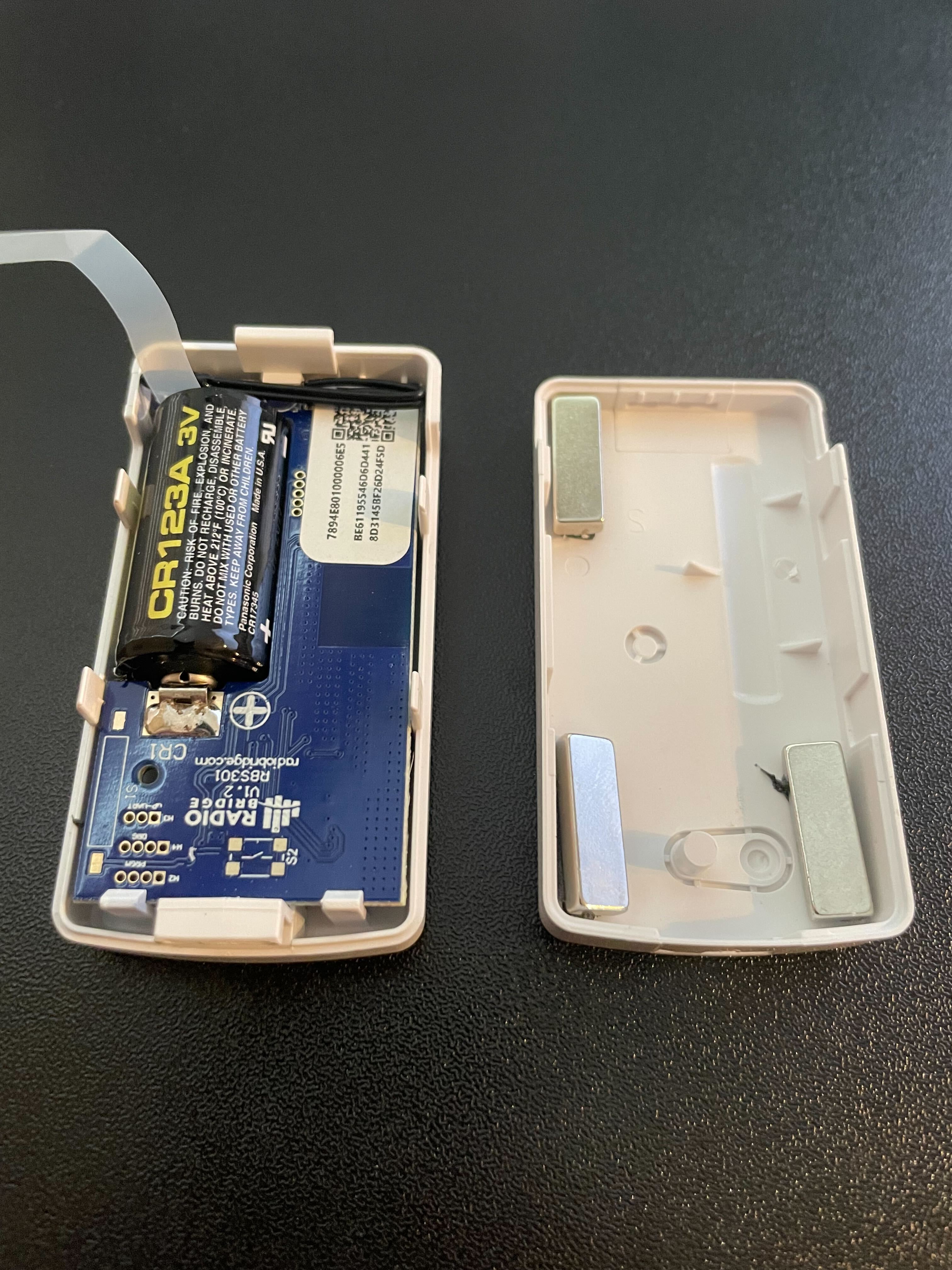
Radiobridge Sensor with its case off
1. Locate the sensor in your equipment and take it out.
2. With a Phillips screwdriver, unscrew the screw on the top of the case and pry open the case apart.
3. Remove the used battery and properly dispose of it. Note the polarity (+/-) and insert the new battery (CR123A 3v) accordingly.
4. Close the case and screw the case back together.
5. Wait 10-15 minutes for the sensor to connect.
6. Check the sensor's connectivity status in Squadle Checklists, Workflows, or HQ. It should now be online.
7. If the sensor is not connected and online, there may be a different issue with your sensor. Please submit a Replacement Sensor Order Form to request a replacement.
For MachineQ sensors...
MachineQ sensor with its case off
1. Using a flat-head screwdriver or a coin, pry open the sensor case.
2. Remove the used battery and properly dispose of it. Note the polarity (+/-) and insert the new battery (SAFT LS 14500) accordingly.
3. Put the sensor's case back together.
4. Wait 10-15 minutes for the sensor to connect.
5. Check the sensor's connectivity status in Squadle Checklists, Workflows, or HQ. It should now be online.
6. If the sensor is not connected and online, there may be a different issue with your sensor. Please submit a Replacement Sensor Order Form to request a replacement.
NOTE
If your Remote Temperature System is showing one or more sensors that are offline. Please reference to our Knowledge Base.
My Remote Temperature System is showing one or more sensors that are offline. How do I get the sensor(s) online?
please contact support@squadle.com for further assistance.
Comments
0 comments
Please sign in to leave a comment.