First, we need to identify what type of sensor the store has.
We currently have two types of sensors: MachineQ Sensors and Radiobridge Sensors.
If you inspect your sensor, you will see a label on the front or the back that indicates the manufacturer of the sensor.
MACHINEQ
The MachineQ MQflex sensor usually comes in a small white plastic enclosure, It has a single multifunction button and a red/green LED light for user interaction.
If 1 or more MachineQ sensors are showing as “Offline”, first steps will be:
1.- Check if the device has joined the network by pressing the push button for three (5) seconds or until the status LED blinks.
2.- If the device consistently fails to join the network: ensure that the device is located at an acceptable distance from the nearest gateway. Hold the button for three (5) seconds to restart the join process and monitor the results.
3.- Replace the battery if the status LED is not illuminated or three (3) rapid yellow blinks are present.
Battery LED Details
| Status LED Color | Meaning |
|---|---|
| Green Solid | Device is awake and ready to join. |
| Green Blink (Slow) | Device is attempting to join the network. |
| Green Blink (Fast) | Device has successfully joined the network. |
| Red Blink | Device failed to join the network (may indicate weak signal or network issue). |
| Yellow Blink (3 Rapid) | Low battery warning. |
| No Illumination | Device is asleep, powered off, or battery is completely depleted. |
The Battery you will need is a: Saft LS 14500
Replace the battery with Saft LS 14500 batteries only. The use of another battery may present a risk of fire or explosion. For more information you can check our Article: “How do I replace the battery in my RTS sensor?”
Once the batteries have been swapped the Sensors should come back online within a 24-hour period after it checks back into the Gateway device. We recommend ensuring that the LEDS on this Gateway device are looking good, no Red LEDs, Power Lora, and Wifi lights active (blue), etc.
If there are any sensors on the list that fail to come online following the 24-hour post-swap period, we recommend utilizing the RTS Sensor Replacement form to initiate your replacement order and swap out the sensors themselves.
RTS Replacement and Additional Sensor Order Form
RADRIOBRIDGE
A RadioBridge sensor is a small, rectangular device made of durable white plastic, designed to be mounted on walls, equipment, or doors.
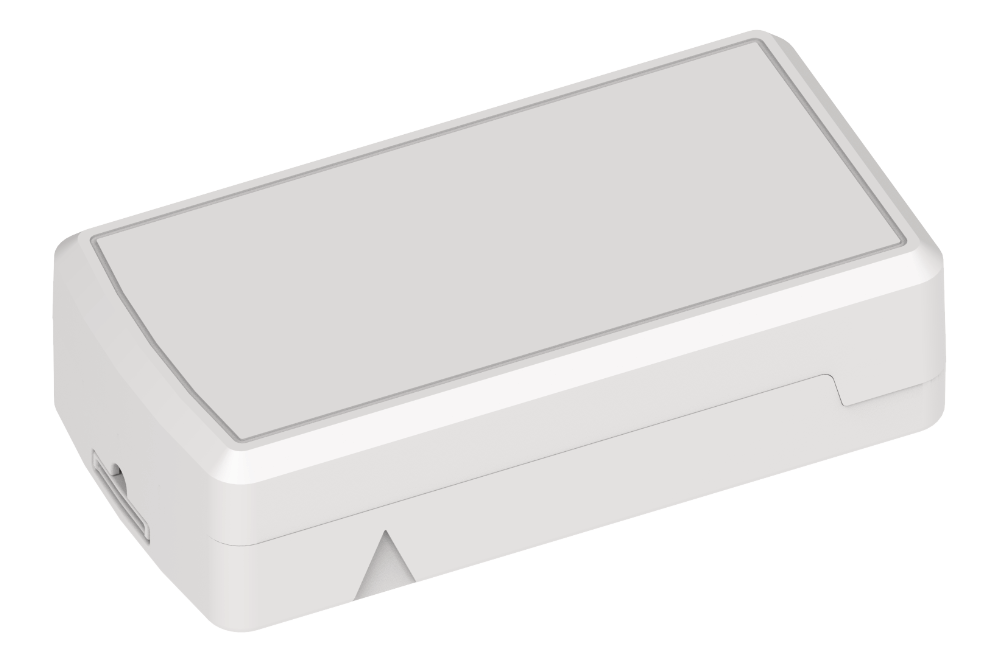
If 1 or more RadrioBridge sensors are showing as “Offline”, first steps will be:
1.-Remove the sensor (s) battery and wait for a few minutes before reinserting it. This should reconnect the sensor to the Gateway and bring it back online within 15 minutes.
2.-If the Sensor remains offline please change the battery on the sensor. For more information you can check our article: “How do I replace the battery in my RTS sensor?”
Once the batteries have been swapped the Sensors should come back online within a 24-hour period after it checks back into the Gateway device. We recommend ensuring that the LEDS on this Gateway device are looking good, Status Light Solid Green and Lora Light Flashing Green color.
If there are any sensors on the list that fail to come online following the 24-hour post-swap period, we recommend utilizing the RTS Sensor Replacement form to initiate your replacement order and swap out the sensors themselves.
RTS Replacement and Additional Sensor Order Form
please contact support@squadle.com for further assistance.
Comments
0 comments
Please sign in to leave a comment.